GOOZEEZOO
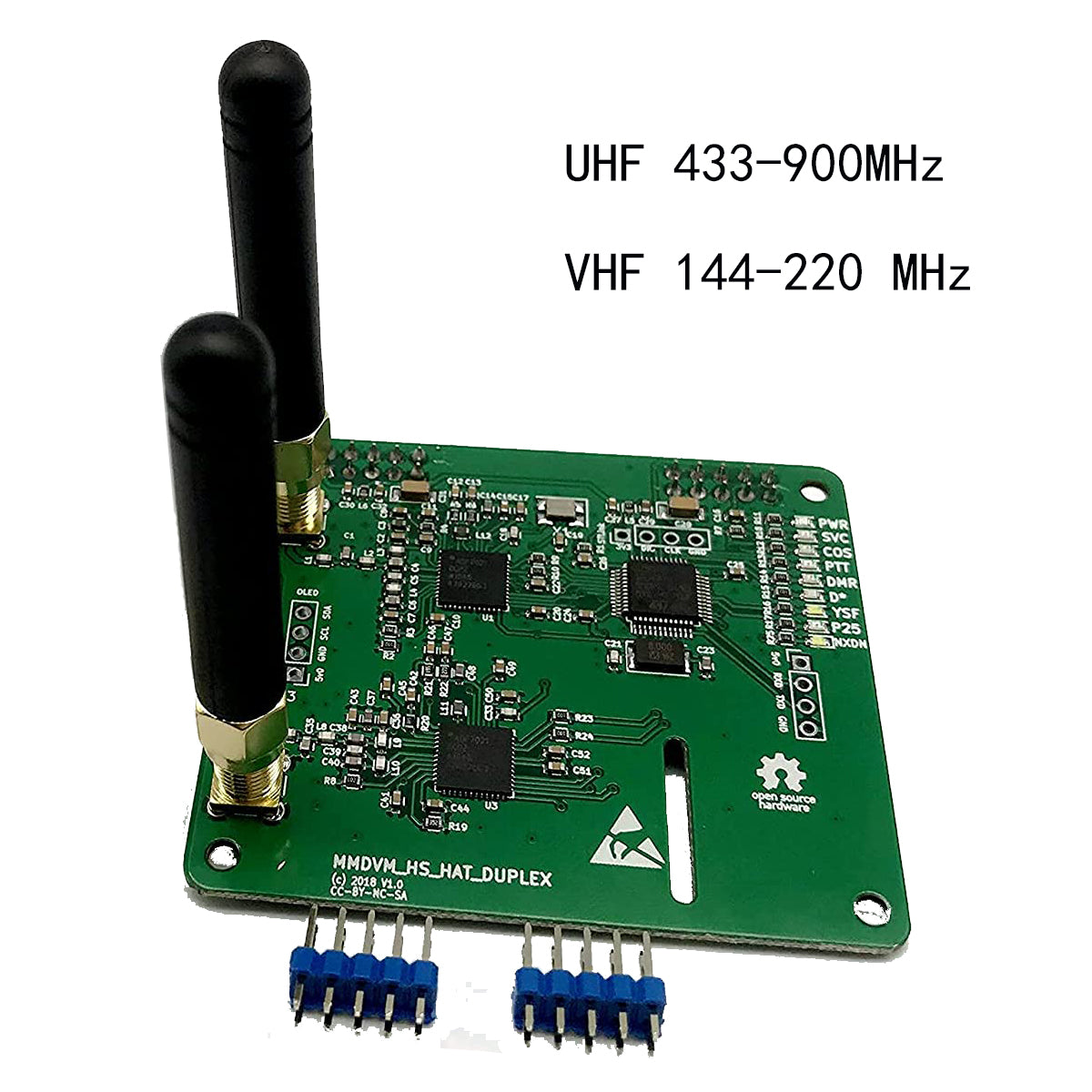
GOOZEEZOO V1.5.2 MMDVM Duplex Dual Hotspot Hat Supports DMR Slot1+Slot2/P25/D-Star/YSF/NXDN, VHF&UHF Coverage, Pre-flashed Firmware, Compatible with Raspberry Pi
GOOZEEZOO V1.5.2 MMDVM Duplex Dual Hotspot Hat Supports DMR Slot1+Slot2/P25/D-Star/YSF/NXDN, VHF&UHF Coverage, Pre-flashed Firmware, Compatible with Raspberry Pi
Couldn't load pickup availability
Wide Compatibility: GOOZEEZOO duplex MMDVM hotspot supports DMR, P25, D-Star and System Fusion digital modes. Equipped with high-performance 32-bit ARM processor and max 10mW RF transmitting power. Every module undergoes complete functional testing. Compatible with Raspberry Pi 1, 2/2B, 3/3B/3B+, 4/4B, Pi Zero and Pi Zero 2W
User-Friendly Operation: The board comes preloaded with firmware and supports convenient software upgrades. Built-in indicator LEDs display Tx, Rx, PTT and working mode status. Via Pi-Star system, users can freely switch between Duplex Mode and Simplex Mode according to operation demands
Supported Frequency Bands: Covers amateur radio frequency segments: 144–148MHz, 219–225MHz, 420–475MHz (main band), 842–950MHz. Default parameter: TX=0, RX=0. Recommended modem selection: STM32_HS_GPIO
Note: This version does NOT include OLED display and USB port
Standard Configuration Guide: Select the matching modem type during setup; all GPIO-compatible models are supported.
Radio/Modem Type: STM32-DVM/MMDVM_HS-Raspberry Pi Hat(GPIO).
Navigate to MMDVM Host under Expert menu, adjust OLED related parameters if external screen is installed. Set LogoScreensaver to "1" to avoid automatic screen blanking during idle
Firmware Upgrade Process:
Upgrade path: Pi-Star → Expert → SSH Access
Username: pi-star|Password: raspberry
No jumper changes required(run in the Pi star terminal): sudo pistar-mmdvmhshatflash hs_dual_hat (if this command doesn't work, please try this command: mmdvm.club/index.php/wpsd .html)
Share